Changelog

What's new in BrewCat.

BrewCat Update #5

March 14, 2026

Add Coffee with a Photo

You can now add a new coffee bag by taking a photo of the label.

  • Tap + in the dashboard and choose Take a Photo or pick from your gallery
  • Photos are sent to an AI model that reads the label and extracts the roastery, bean, roast date, weight, origin, and more
  • Review what the AI found before saving — if everything looks right, one tap saves the bag
  • If anything's missing, tap Fill in Missing Fields to open a pre-filled form and complete the details

Rate My Setup

A new section in Settings lets you get an AI review of your equipment.

  • The AI looks at your grinders and brewers and gives you an honest assessment
  • Ends with a Weakest Link callout: the single upgrade that would give you the most bang for your buck
  • Your last review is saved — if your setup hasn't changed, it shows the result instantly without re-running
  • Tap ↺ Refresh to get a fresh review whenever you want

Bugfixes & Polish

  • Fixed all-caps names from photo analysis — "GOKAIN" now correctly shows as "Gokain"
  • Starting weight now defaults to 250g if not found on the label
  • Form inputs in the coffee drawer no longer conflict with the drawer's scroll behaviour
BrewCat Update #4

March 8, 2026

Ask the Cat — Major Upgrade

The AI brewing assistant has been significantly improved.

  • Tabbed layout: Responses are now split into a Recipe tab (structured parameters) and a Reasoning tab (analysis and adjustments)
  • Recipe cards: Each parameter — Dose, Ratio, Water, Grind Size, Temperature, Brew Time — is shown in its own box instead of a wall of text
  • Brew This: Tap the button on the Recipe tab to pre-fill and open the New Brew form with the AI's recommendation
  • Brew History cards: AI advice now appears alongside your brews in the history as a card showing the recipe at a glance

Bugfixes & Polish

  • Recipe values no longer include AI commentary in parentheses
  • Grind size is always formatted as "X clicks"
  • Closing and reopening saved advice now uses the same view as a fresh response

BrewCat Update #3

May 25, 2025

Major Performance Improvements

We've completely overhauled the app's data management system for significantly faster navigation and reduced loading times.

Navigating between pages should be 70-90% faster now.

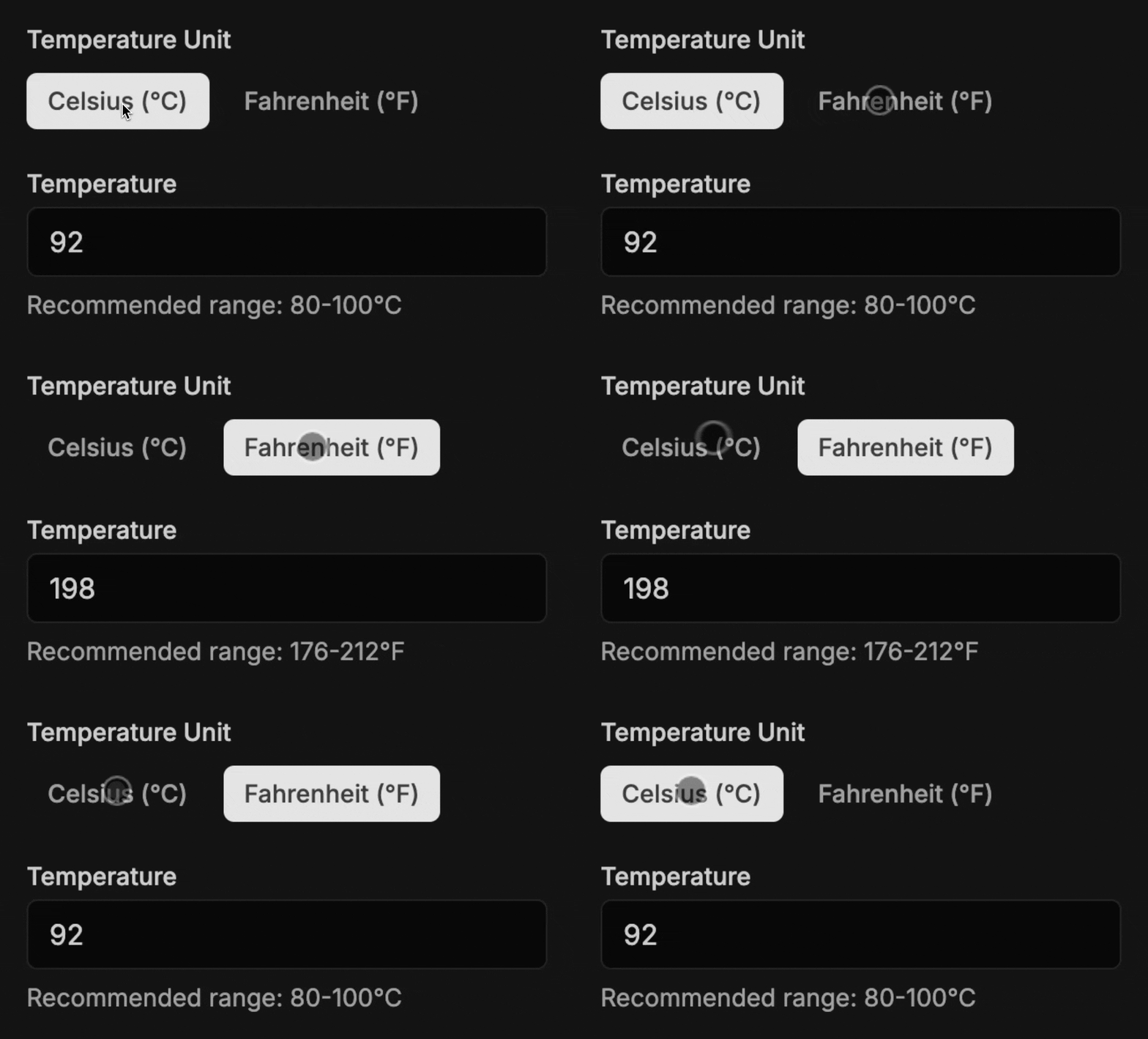
Fahrenheit or Celsius Support

Choose your preferred temperature unit and see it consistently throughout the app!

Setting preferred temperature unit

Enhanced Bean Management

More control over your coffee bean information with new editing capabilities. New bean fields

  • Edit Bean Details: Update origin, processing method, and variety information for any bean
  • Automatic Metadata: When adding new coffee bags, bean information is automatically populated when available

Bugfixes & Polish

  • Fixed Multiple Form Submissions: Prevented duplicate entries when creating coffee bags
  • Better Mobile Experience: Enhanced touch interactions and responsive design

BrewCat Update #2

May 14, 2025

Key Changes:

  • Enabled Keyboard support for manually editing Timer values
  • Min-max click values for grinders are now being displayed inside the input field.
  • Default click range (1-100) is now used for extraction calculations.

Bugfixes & other small things

  • Addressed an issue with Brew form allowing multiple entries.
  • Fixed an error in Timer states.
  • Ensured system appearance settings are applied correctly.

BrewCat Update #1

May 10, 2025

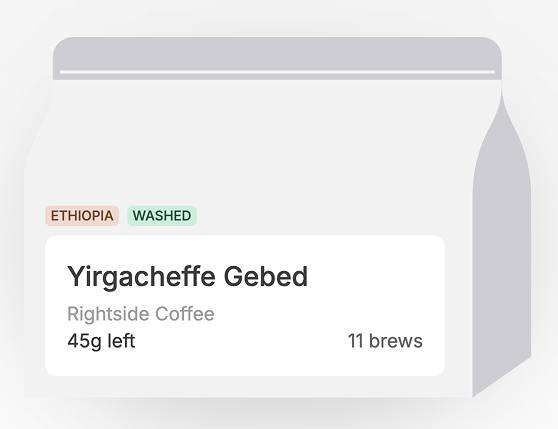
Now displaying Origin and Variety on coffee bags

They may not be immediately visible for newly added bags. Let us know if you find this useful and whether you'd like to see more information about the bean at a glance! Updated Coffee Bag design

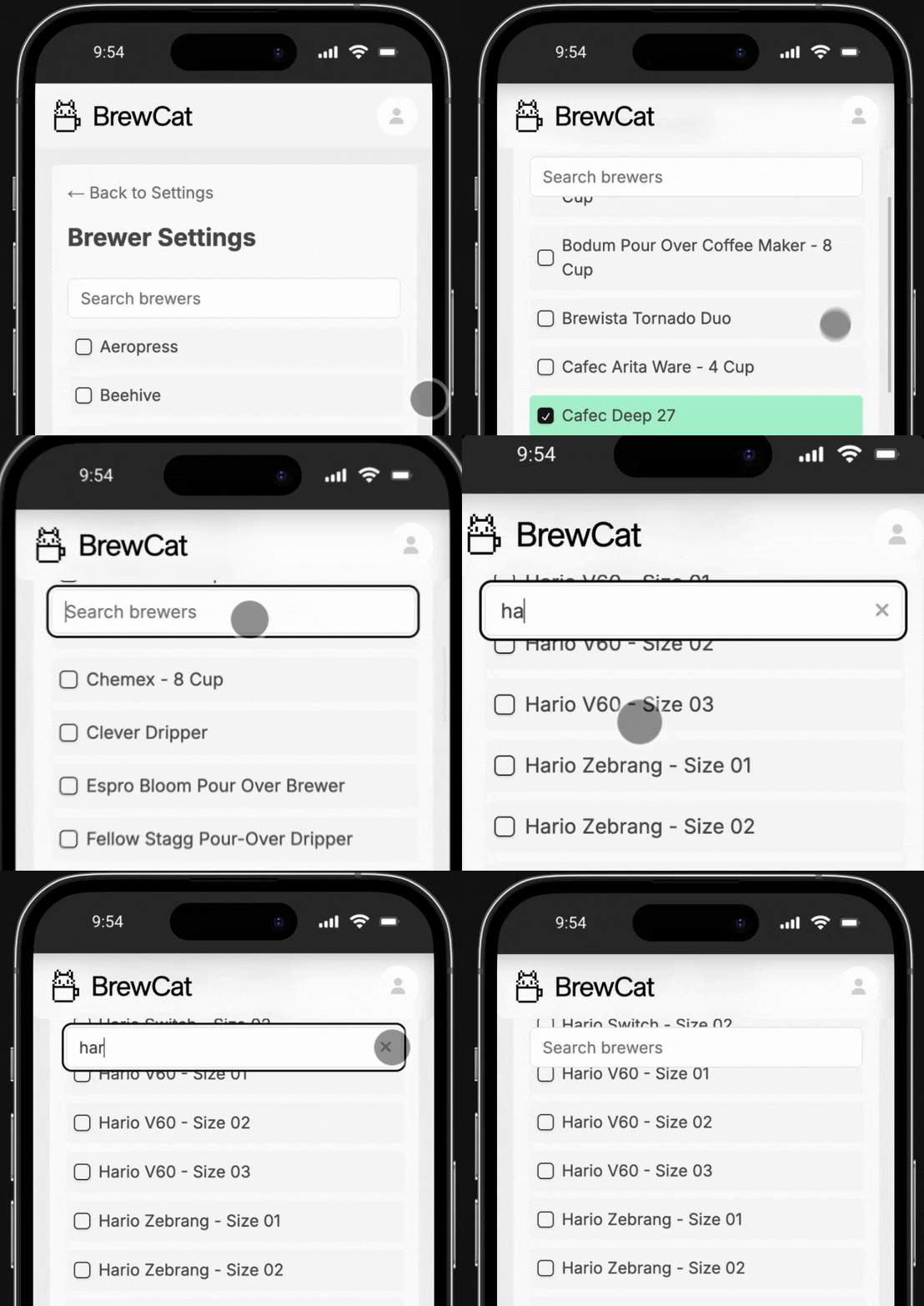
Search field for Grinder and Brewers is now sticky

This is especially useful in mobile devices since the list is quite long.

Sticky search field in action

Bugfixes & other small things

  • Added a loading state to prevent multiple form submissions when adding brews
  • Long bean names no longer break the UI, but get truncated
  • Various performance improvements
Brewed with care · © 2026 BrewCat